This feature is currently in BETA and Voyado is actively seeking user feedback to improve its performance and functionality. We appreciate your support in this process.
As a beta feature, it may undergo frequent updates and enhancements. We encourage you to check for updates regularly to take advantage of the latest improvements.
While we have conducted rigorous testing, beta features could contain issues, bugs, or glitches. Be prepared for occasional disruptions, and report any issues to help us at Voyado to refine the functionality of the app.
Customer Actions: Configuring TikTok Leads Integration
1. Contact Attribute
To track which form the customer has arrived from, go to Configure Engage and create a custom attribute called customSource of type String like this:
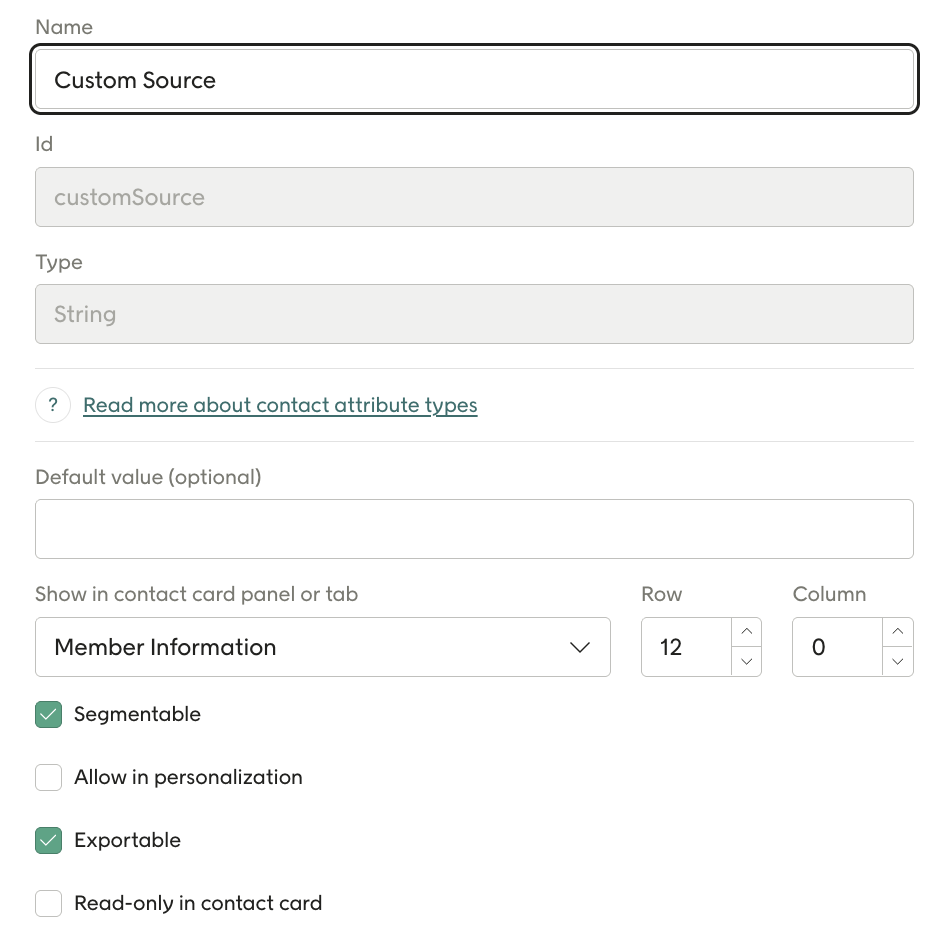
Note that this is the same field for TikTok and Meta so if this has already been set up, ignore this step
2. Initial Leads Setup
Log in to: Onsite Manager
Or go to Config Hub in Voyado Engage where you can configure the Lead Ads.
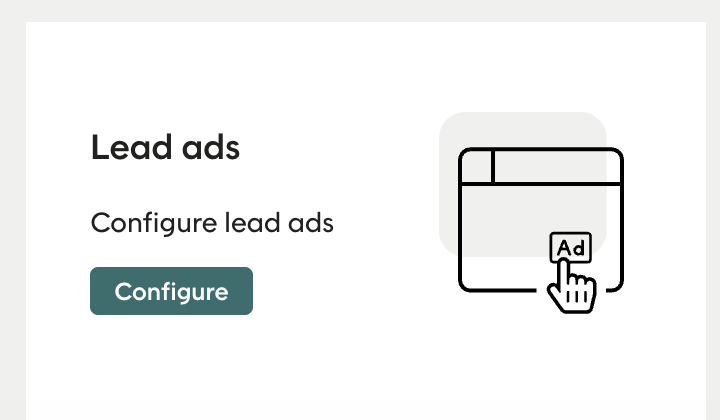
If it is missing, contact: support@voyado.com
3. Accelerator Setup
Go to: Accelerator Configuration → Accelerators for lead ads
Use your existing site in OSM
Press Actions → Edit.
4. Connect to TikTok
In the TikTok section, connect to your TikTok Page:
Click Connect:
Then add the account you want to connect to:
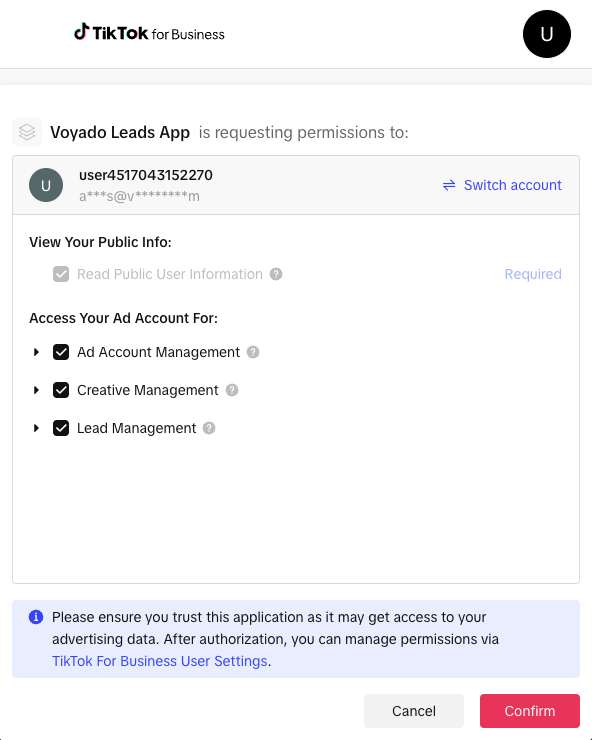
Press Confirm and you should be authenticated to TikTok.
5. Form Mapping
Once connected, Engage will pull in your TikTok Lead Forms.
If no forms are visible, ensure one is created in Facebook for your campaign.
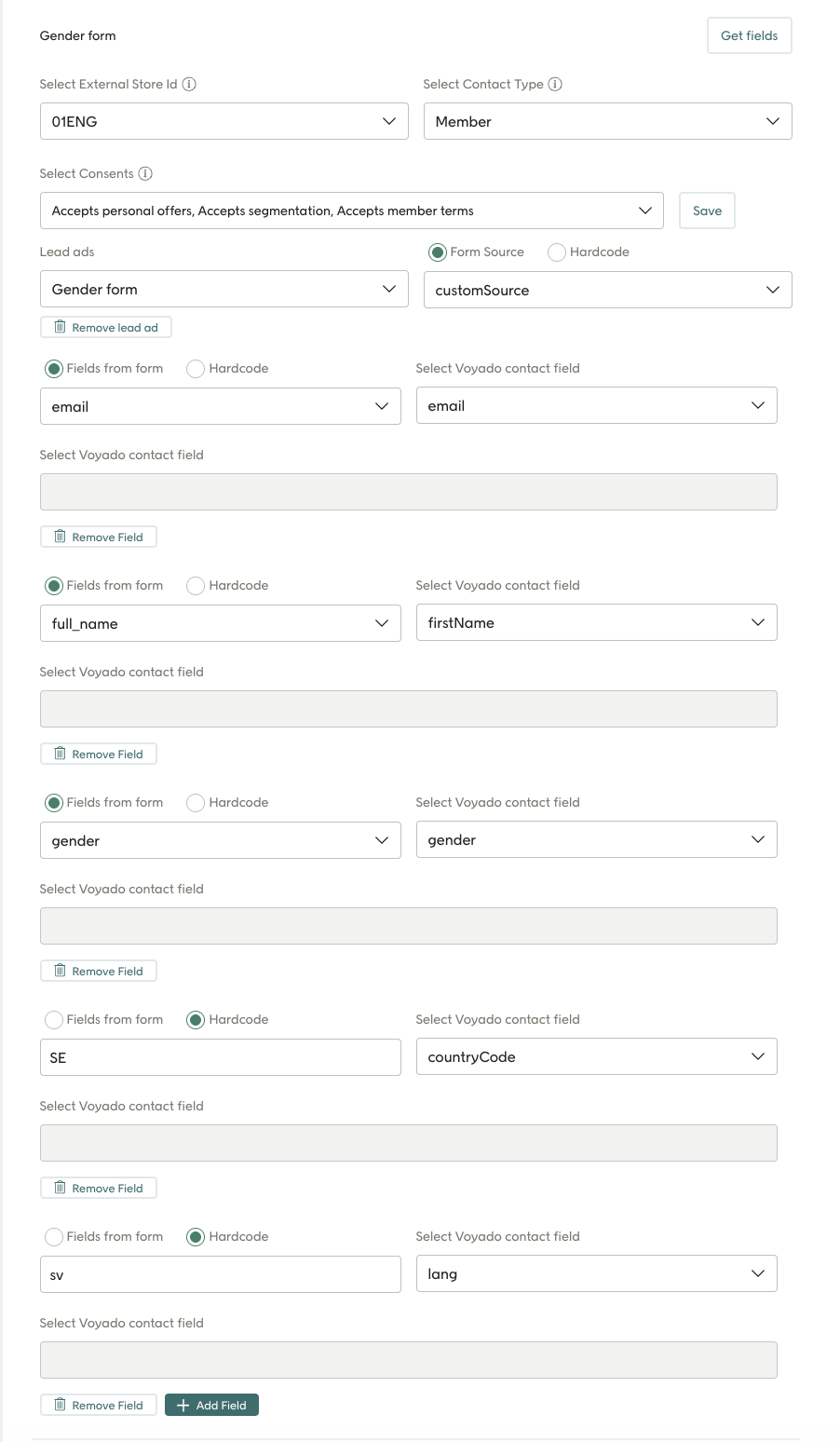
Choose the form and map its fields to Voyado Engage.
The first step you want to do is click the Get forms button, still will fetch all the forms on your page that we can connect to Voyado Engage.
Once you have done that, you will get a list of forms under TikTok forms. Press on the form that you want to connect to Voyado Engage and then press the Get fields button. This will retrive all the fields on that specific form.
Do the mapping of fields, see image below and press Save.
Testing the Integration
You can test the form:
- Via actual TikTok Ads.
- Or manually using the TikTok Lead Ads Testing Tool.
More info here: TikTok leads - Test the integration
Configuration video
Article last reviewed
Comments
0 comments
Please sign in to leave a comment.