Reward vouchers are created with an expiry date, after which contacts will not be able to use them. They might also just forget that they have a voucher ready to be used. That's where reward voucher reminders are useful. Reminders can be sent through email or SMS.
Here's how to find and act on those vouchers that are about to expire:
-
Segmentation using reward voucher expiry date
Use the Filtering tool to find all contacts with vouchers that will expire on a specific date, or within a specific time period. Or even, if needed, those with vouchers that have already expired. Now you can use this segmentation to send a reminder email.
-
Personalized fields with the reward vouchers due to expire first (classic email editor)
You can also get a little more specific, informing the customer about the voucher that is about to expire soonest. For example, If they have some that expire in 5 days, some in 7 days from now, and others that expire in 10 days, Engage can show aggregated data in a send-out for the vouchers that expire first (in this case it would be those that expire 5 days from now). This allows you to send more detail than just a simple reminder.
-
Automation trigger "Reward Voucher Reminder"
If you wish to automate this whole process (and you should) you can design an automation for those contacts with vouchers that expire in the next X days, using this trigger. Then this whole thing will work without any further input from you.
1 - Segmentation
"Reward voucher expiration" is a date segmentation field. It can be found under Rewards in Segmentation and will locate contacts with unused reward vouchers that are due to expire in given period of time, such as in X number of days.
Use Cases
As illustrated above, this feature can be used by itself if the user just wants to manually send a message to remind customers about their vouchers. It can also be used for this in combination with the new personalization fields, and also with the new "Reward Voucher Reminder" automation trigger. Voyado recommends using the automation trigger.
You will find the new personalized fields under "Reward vouchers nearest to expiration":
Under this are 4 personalized fields:
- Count: This shows how many vouchers have the same expiry date as the one that will expire first out of the contact's unused vouchers. Only relevant if you are using multiple vouchers.
- Expiration date: This shows the expiry date of the voucher (or vouchers) that will expire first out of the contact's unused reward vouchers.
- Points: This shows the sum of the points used to create all the vouchers that will expire first.
- Value: This shows the total monetary value of all the vouchers that will expire first.
Use Cases
These fields can be used in any email and SMS for personalization, with the "Scheduled Selection" automation, or with the new "Reward Voucher Reminder" automation trigger.
The "Reward Voucher Reminder" automation trigger is used to initiate flows that send out the voucher expiration reminders. An input field allows you to define the number of days ahead for which we search for voucher expiry dates. The reminder is scheduled randomly between 06:00 and 08:00.
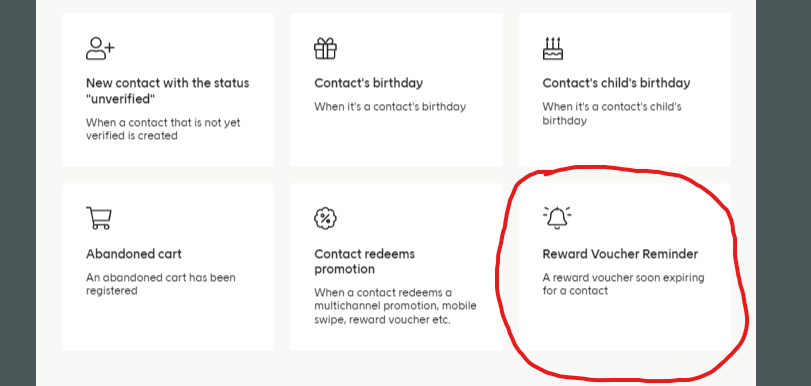 Configuring a trigger
Trigger data
This trigger is set up to handle the payload data related to the voucher that triggered it. This data can then be used in your send-outs.
Limitations
Note that this trigger might not work well with personalization email fields. A workaround for this is to ensure that contacts will not be sent reward vouchers reminders too often, through limiting how often they can enter the automation, for example.